Download the returns
GSTR-1 as an Excel workbook, section by section, and GSTR-3B box by box.
GST billing software
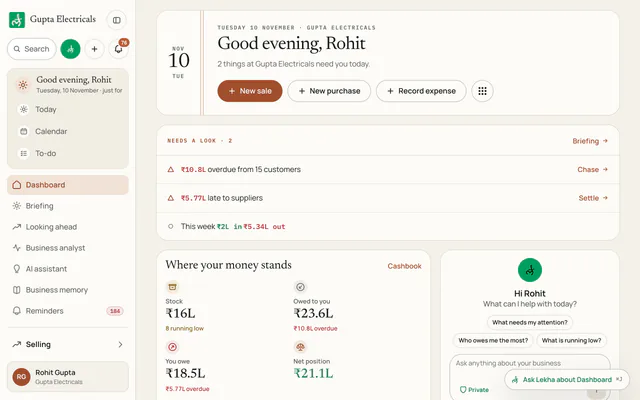
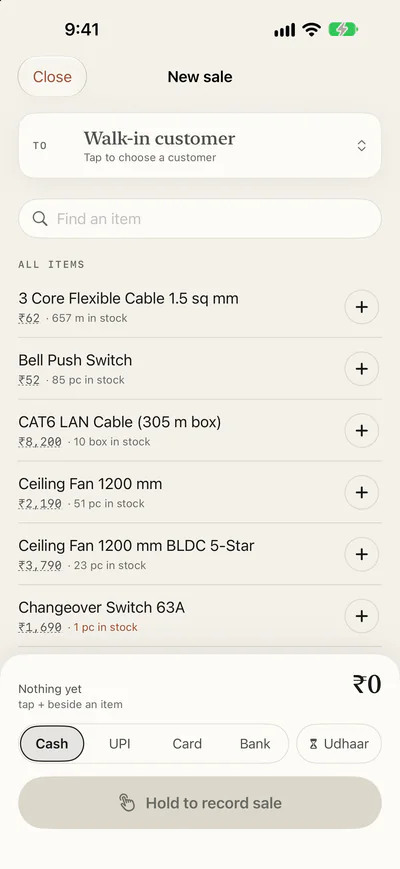
Pick the customer and the items, and the GST is worked out line by line: CGST and SGST in your state, IGST outside it. GSTR-1 and GSTR-3B are ready when the month ends.
The bill
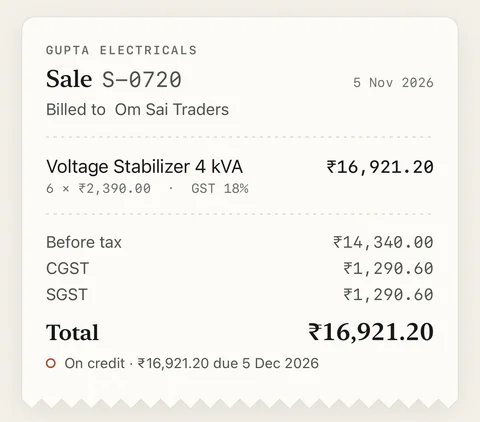
Give each item its HSN code and GST rate once. After that every bill works out the tax: CGST and SGST when the customer is in your state, IGST when they’re not.
Send it
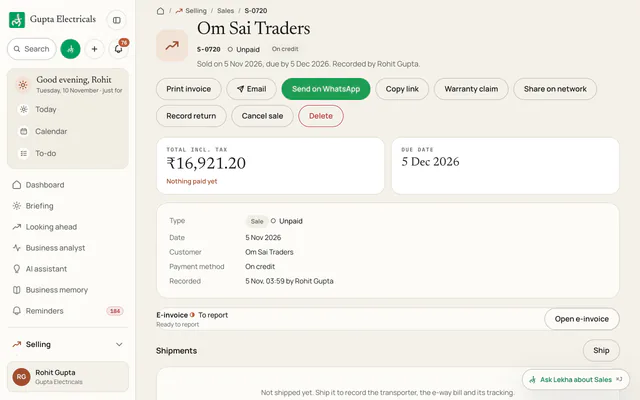
Your customer gets a link to view, print or save the bill. Add your UPI ID in Settings and every bill carries a QR code for its amount.
Purchases
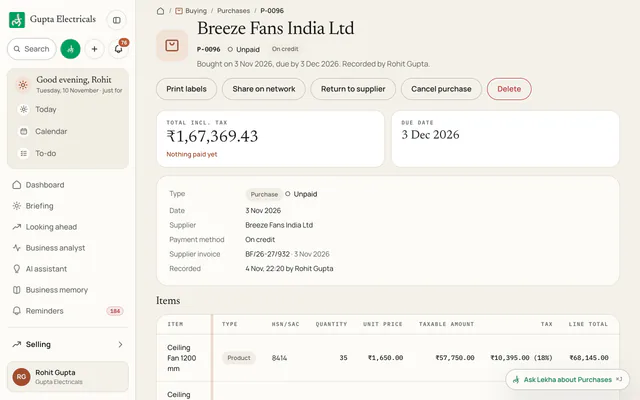
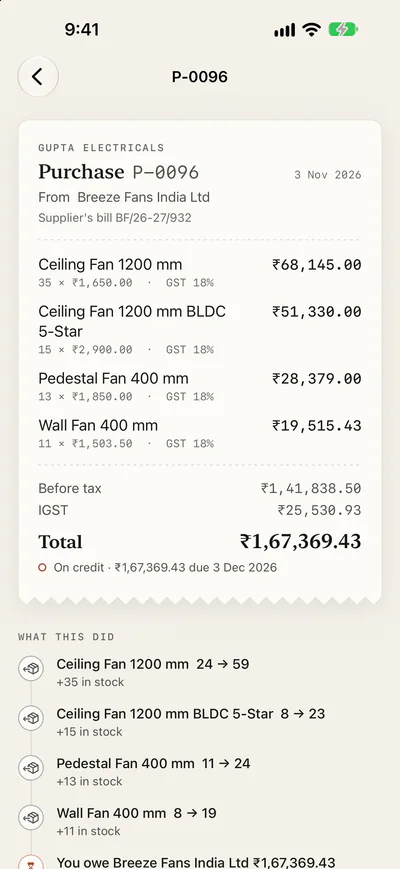
Enter the supplier’s bill, or scan it and check what Lekha Jokha read. The GST you paid counts towards your input tax credit, and the stock goes up as you save.
Also
Worked out from the bills you made, for any month.
GSTR-1 as an Excel workbook, section by section, and GSTR-3B box by box.
Upload the 2B from the GST portal and see which purchases match.
Sale and purchase returns count in the month they happen.
Bring in customers, suppliers, items and opening balances.
FAQ
No. It gets GSTR-1 and GSTR-3B ready from your bills, and you or your accountant file them on the GST portal.
Yes. When the customer’s state isn’t yours, the bill charges IGST instead of CGST and SGST.
Yes. Add your UPI ID in Settings, and each bill carries a QR code for its amount.
Yes. Your customer gets a link to view, print or save the bill.
आपका हिसाब, आपके साथ
Sign up with Google in a minute.